How to play
Your car drives automatically. Tap once to change lanes and avoid roadblocks. Keyboard: A or Left for Player 1, L or Right for Player 2. In solo mode, Space also switches lanes. Hold keys will not repeat.
ONE TAP. TWO LANES. NO SECOND GUESSING.
Switch lanes. Dodge the roadblocks. Chase your best run, or put your reflexes up against a friend.
Put your phone between you. Player 1 taps the left half; Player 2 taps the right. Both get the same roadblocks at the same time.
Tap anywhere on the track to switch lanes
Your car drives automatically. Tap once to change lanes and avoid roadblocks. Keyboard: A or Left for Player 1, L or Right for Player 2. In solo mode, Space also switches lanes. Hold keys will not repeat.
Two-player mode uses identical roadblocks and speed on both sides. The first collision ends the round. Colliding on the same simulation step is a draw. This is local play on one device, with no online room needed.
Solo best distance. Active solo and same-device races restart; there is no online match history.
Clearing browser data can remove records. Other browsers, private mode and installed windows may use separate storage. We do not promise permanent or cross-device saves.
Game records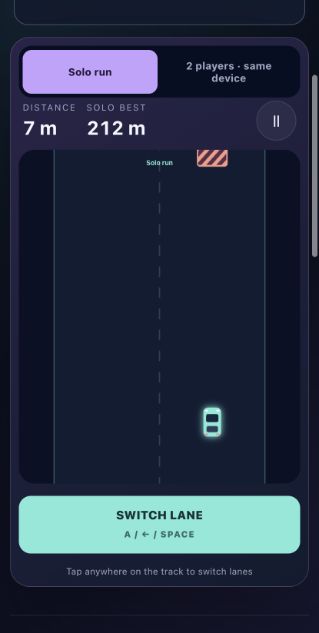
Switch lanes to dodge roadblocks. Play solo or race a friend on the same device.
No. Open the page and play in your browser.
Records and supported progress are saved on this device. Clearing browser storage removes them.
No. Background music is off by default. You can enable it in Sound settings.
After a successful first visit, previously opened game pages can load offline. New pages and online sharing need a connection.